What the app does
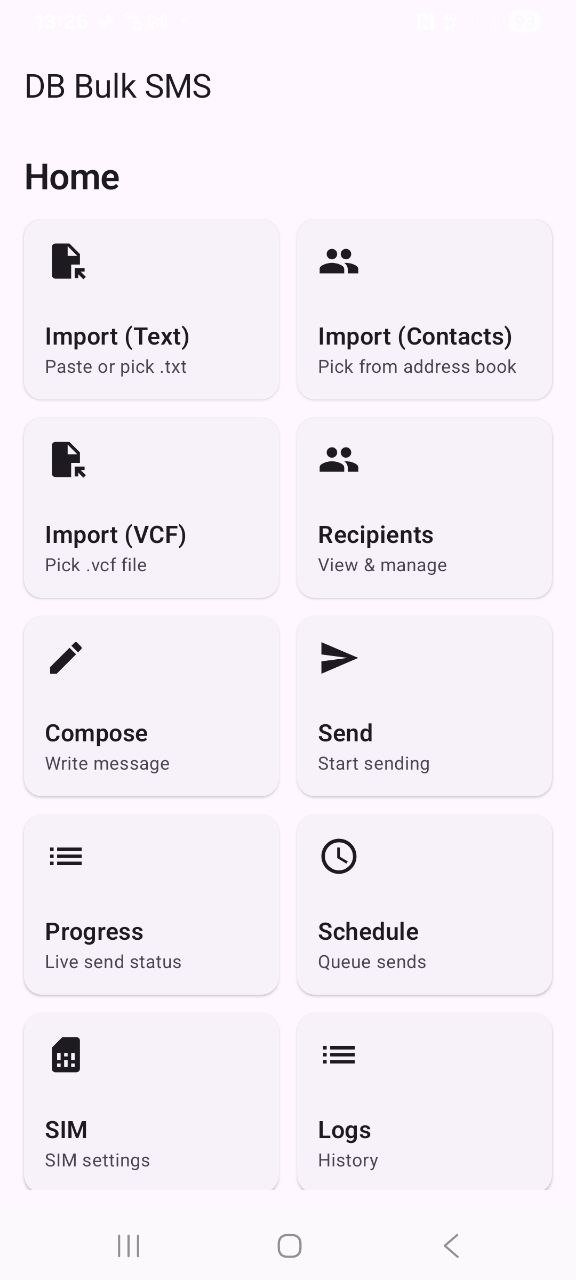
DBBulkSMS helps you send bulk SMS in a controlled, trackable way. It’s designed for business workflows where you need reliable, repeatable sending — with support for importing lists, dual-SIM rotation, scheduling, and live progress.
Release notes
Install the APK (Android)
- Tap Download APK on this website.
- Open the downloaded file (usually in Downloads).
- If Android blocks it, enable Install unknown apps for your browser / file manager, then try again.
- After install, open DBBulkSMS.
1) Activation / device code
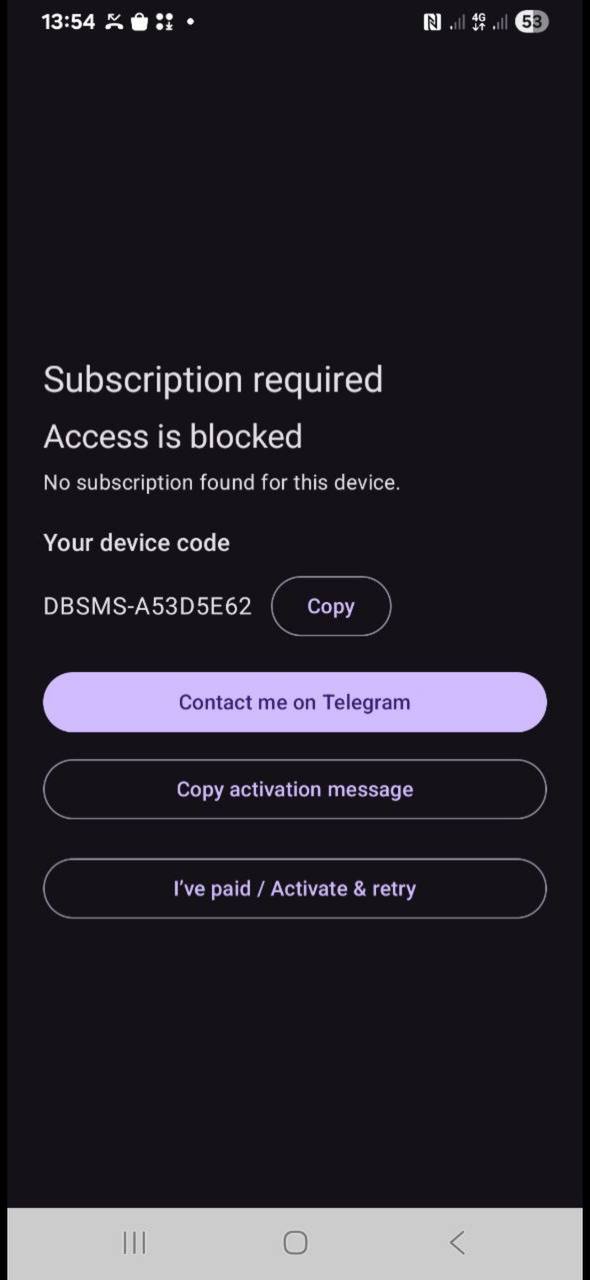
If the app shows “Subscription required / Access is blocked”, it will display your Device Code.
- Tap Copy to copy the device code.
- Tap Contact me on Telegram and send the code.
- After activation, tap I’ve paid / Activate & retry.
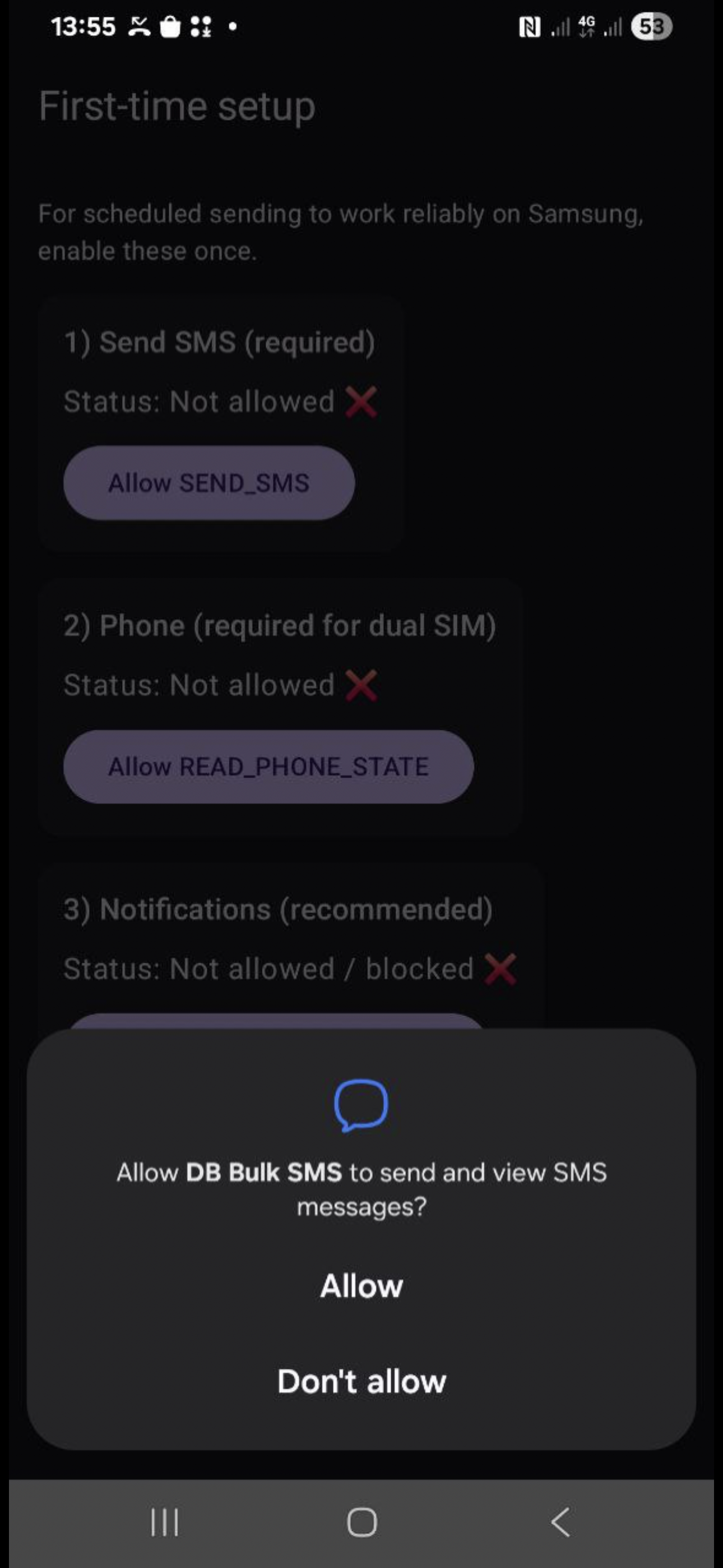
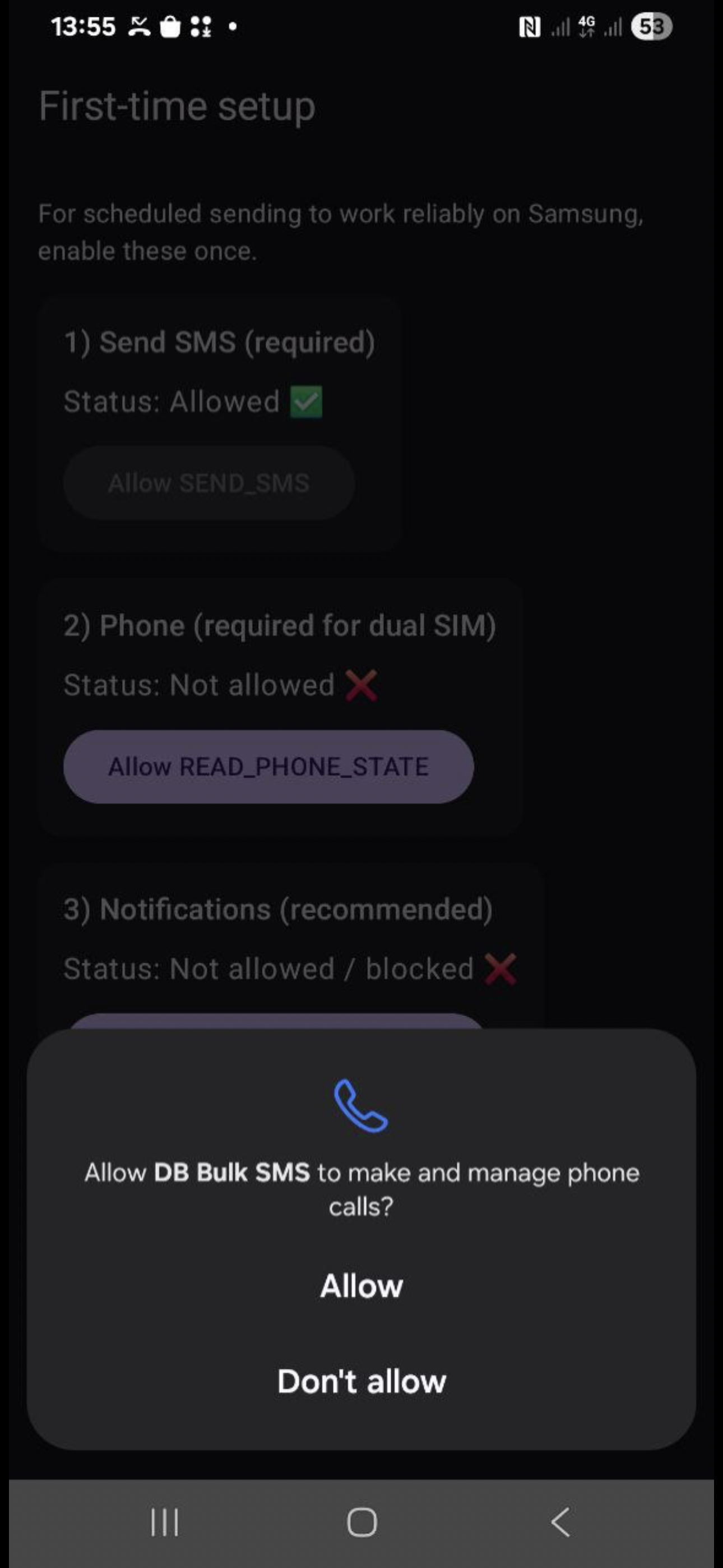
2) First-time setup inside the app
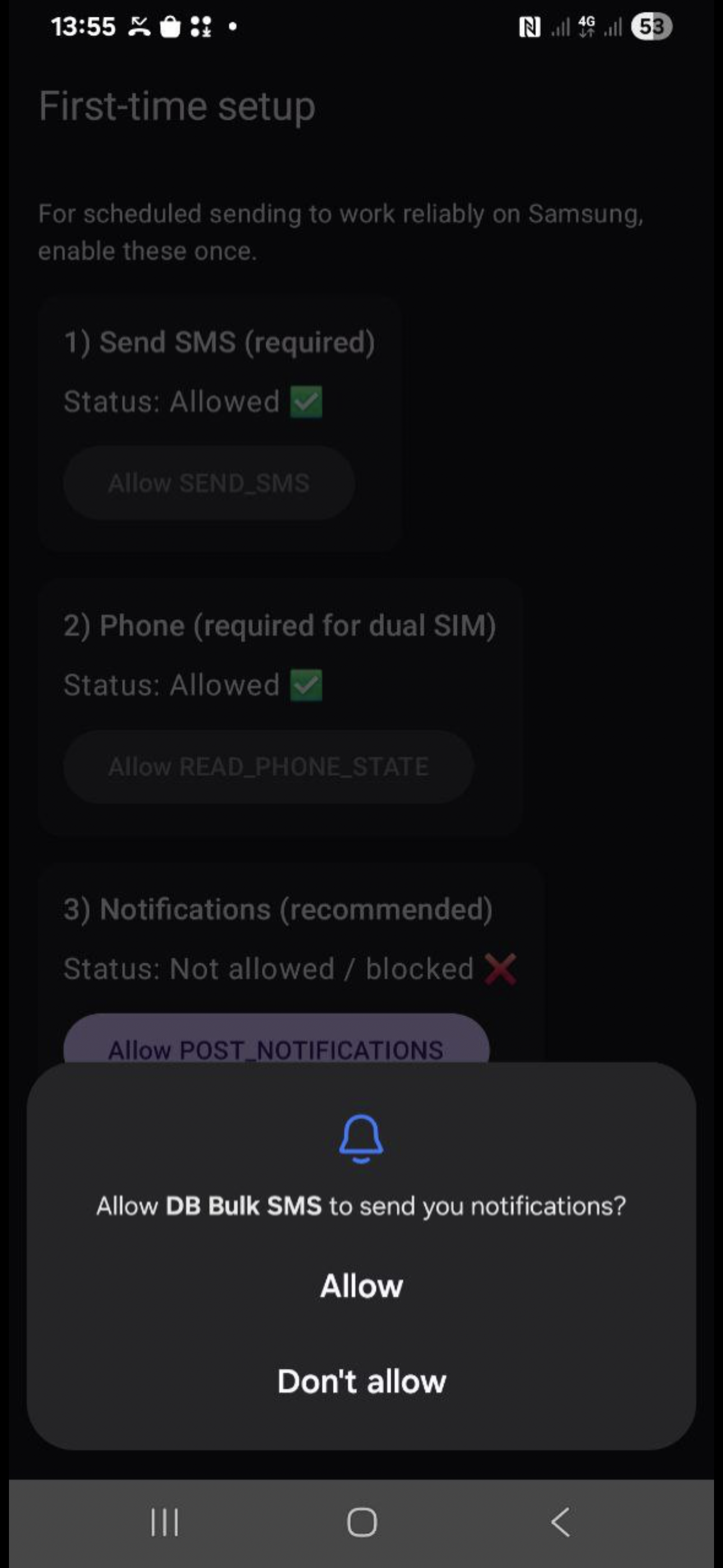
When you open the app for the first time, allow the required permissions so sending and scheduling work reliably.
Show permission screenshots (tap to zoom) ▾

Recommended settings
- Recommended delay: 6 seconds between messages.
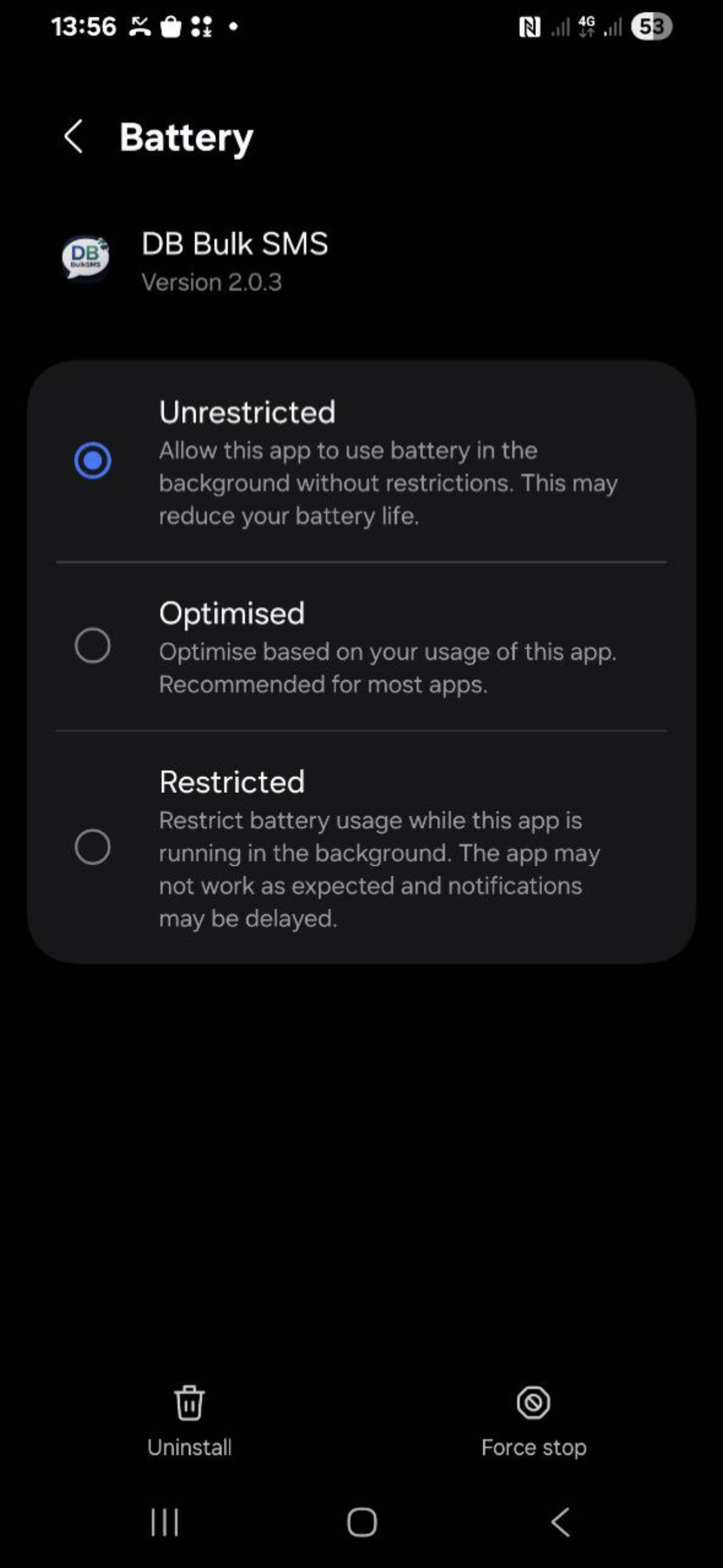
- Samsung users: Battery → set to Unrestricted.
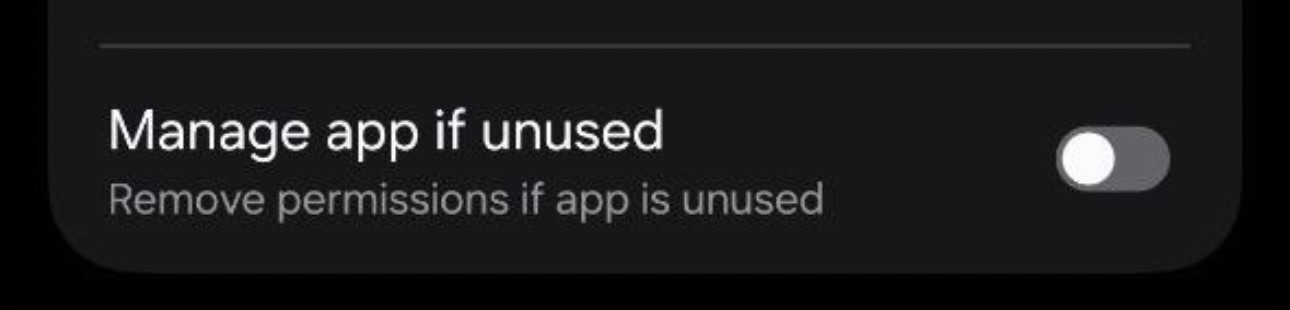
- App info: turn off “Remove permissions if app is unused” (so scheduling stays working).
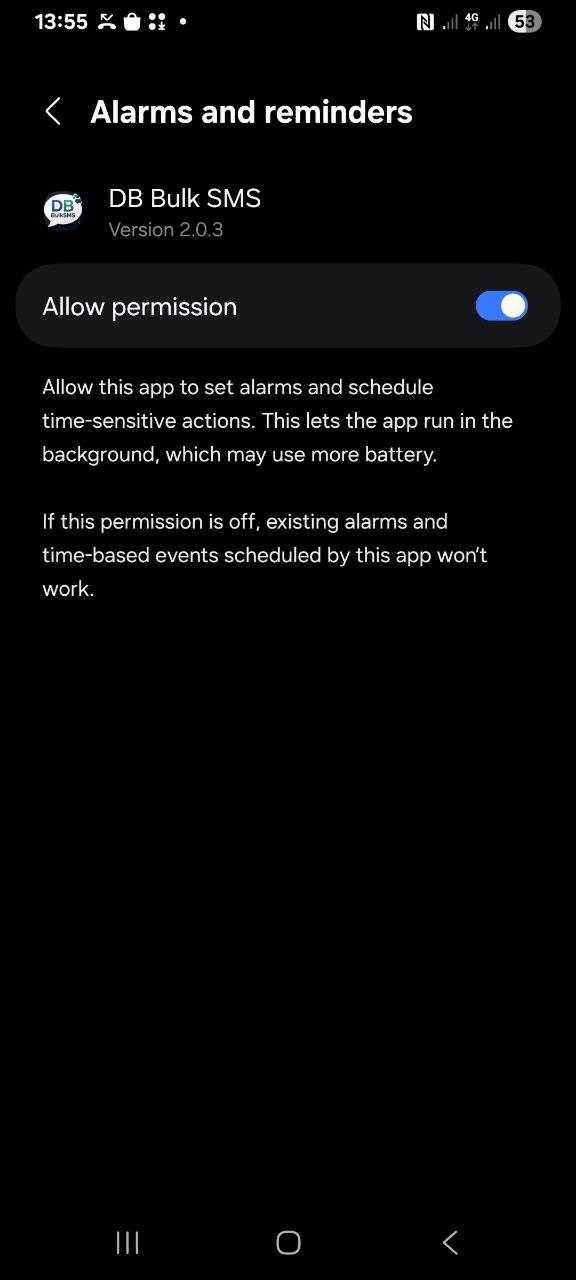
- Exact alarms: make sure Allow permission is ON in Alarms & reminders.
Helpful Android settings screenshots ▾
Quick usage flow
- Import recipients (Text / Contacts / VCF)
- Recipients → check & clean list
- Compose → write your message
- SIM → choose SIM or rotation
- Send or Schedule
- Progress + Logs → track results
FAQ
Where do I find my Device Code? ▾
If the app is not activated, it shows “Subscription required / Access is blocked” and displays your Device Code. Copy it and send it via Telegram for activation.
What delay should I use? ▾
Recommended: 6 seconds between messages for stable sending.
Why do I need “Exact alarms” / “Unrestricted battery”? ▾
These settings help scheduled sending run reliably in the background — especially on Samsung devices.